
Custom Computers: Tailored Solutions for Your Needs
- Dec 17, 2025
- 5 min read
In a world where technology evolves at lightning speed, the need for customized computing solutions has never been more critical. Whether you are a gamer seeking the ultimate performance, a professional needing a reliable workstation, or a casual user wanting a machine that fits your lifestyle, custom computers offer tailored solutions that meet your specific needs. This blog post will explore the benefits of custom computers, the components involved, and how to choose the right configuration for your requirements.
Understanding Custom Computers
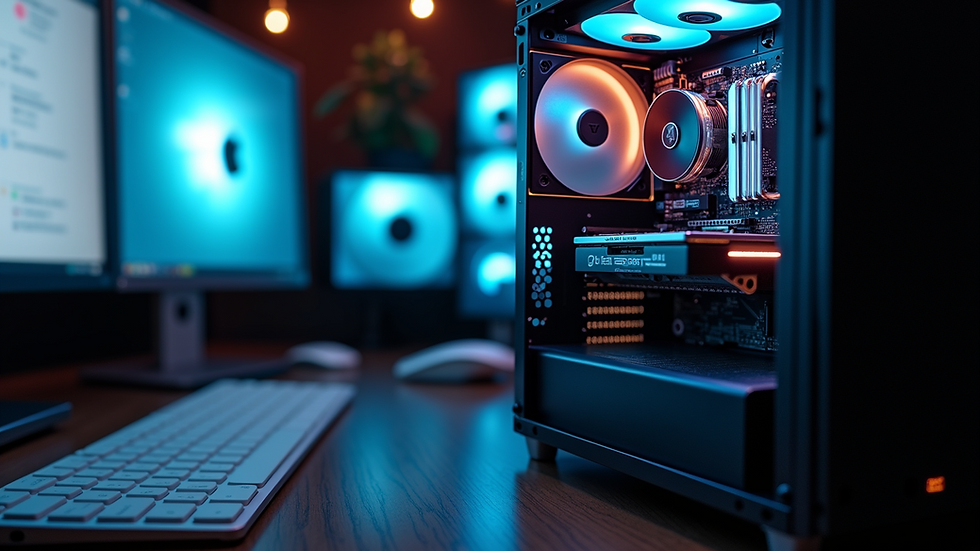
Custom computers are built to order, allowing users to select each component based on their preferences and requirements. Unlike pre-built systems, which come with fixed specifications, custom computers offer flexibility and personalization. This means you can choose everything from the processor and graphics card to the case and cooling system.
Benefits of Custom Computers
Performance Optimization
Custom computers allow you to select high-performance components tailored to your specific tasks. For example, gamers can opt for powerful graphics cards and fast processors, while video editors may prioritize RAM and storage speed.
Cost Efficiency
Building a custom computer can often be more cost-effective than purchasing a pre-built system with unnecessary features. You can allocate your budget to the components that matter most to you.
Upgrade Potential
Custom builds are typically easier to upgrade. You can replace or add components as technology advances, ensuring your system remains relevant for years to come.
Aesthetic Appeal
With custom builds, you can choose cases, lighting, and cooling solutions that match your personal style. This allows for a unique setup that reflects your personality.
Learning Experience
Building your own computer can be a rewarding experience. It provides an opportunity to learn about hardware, software, and troubleshooting, which can be beneficial in the long run.
Key Components of a Custom Computer
When building a custom computer, understanding the key components is essential. Here’s a breakdown of the main parts you’ll need to consider:
Central Processing Unit (CPU)
The CPU is the brain of your computer. It processes instructions and performs calculations. When choosing a CPU, consider the following:
Core Count: More cores can improve multitasking and performance in demanding applications.
Clock Speed: Measured in GHz, higher clock speeds generally mean better performance.
Brand: Intel and AMD are the two leading manufacturers, each offering a range of options.
Graphics Processing Unit (GPU)
For gamers and professionals working with graphics, the GPU is crucial. It handles rendering images and video. Key factors include:
VRAM: More video memory allows for better performance in high-resolution settings.
Ray Tracing: This technology enhances realism in graphics, especially in gaming.
Brand: NVIDIA and AMD dominate the market, each with unique features.
Memory (RAM)
RAM is essential for multitasking and running applications smoothly. Consider the following:
Capacity: 16GB is a good starting point for most users, while gamers and professionals may benefit from 32GB or more.
Speed: Measured in MHz, faster RAM can improve performance, especially in gaming and creative tasks.
Storage Solutions
Storage options have evolved significantly, with SSDs and HDDs offering different benefits:
Solid State Drives (SSD): Faster and more reliable, SSDs improve boot times and application loading.
Hard Disk Drives (HDD): Generally cheaper and offering more storage space, HDDs are suitable for mass storage.
Motherboard
The motherboard connects all components and determines compatibility. Key considerations include:
Form Factor: Ensure it fits your case (ATX, Micro-ATX, Mini-ITX).
Socket Type: Match the socket type with your CPU.
Expansion Slots: Consider future upgrades and additional components.
Power Supply Unit (PSU)
The PSU provides power to your components. Important factors include:
Wattage: Ensure it can support your components, with some headroom for future upgrades.
Efficiency Rating: Look for 80 Plus certification for better energy efficiency.
Cooling Solutions
Keeping your components cool is vital for performance and longevity. Options include:
Air Cooling: Generally quieter and easier to install.
Liquid Cooling: More efficient for high-performance builds but can be more complex.
Choosing the Right Configuration
When selecting components for your custom computer, consider your primary use case. Here are some tailored configurations based on different needs:
Gaming Build
For gamers, performance is key. A typical gaming build might include:
CPU: AMD Ryzen 5 or Intel Core i5
GPU: NVIDIA GeForce RTX 3060 or AMD Radeon RX 6700 XT
RAM: 16GB DDR4
Storage: 1TB NVMe SSD
Cooling: Air cooler or AIO liquid cooler
Content Creation Build
For video editing, graphic design, or 3D modeling, prioritize power and speed:
CPU: AMD Ryzen 7 or Intel Core i7
GPU: NVIDIA GeForce RTX 3070 or AMD Radeon RX 6800
RAM: 32GB DDR4
Storage: 2TB NVMe SSD + 2TB HDD
Cooling: AIO liquid cooler for better thermal management
General Use Build
For everyday tasks like browsing, streaming, and office work, a balanced build is sufficient:
CPU: AMD Ryzen 3 or Intel Core i3
GPU: Integrated graphics or entry-level dedicated GPU
RAM: 8GB DDR4
Storage: 512GB SSD
Cooling: Stock cooler
Building Your Custom Computer
Once you have selected your components, it’s time to build your custom computer. Here’s a step-by-step guide:
Gather Tools: You’ll need a screwdriver, anti-static wrist strap, and cable ties.
Prepare the Case: Remove side panels and install standoffs for the motherboard.
Install the CPU: Carefully place the CPU into the socket and secure it.
Add RAM: Insert RAM sticks into the appropriate slots.
Install the Motherboard: Secure the motherboard to the case with screws.
Add Storage: Mount SSDs and HDDs in their respective bays.
Install the GPU: Insert the GPU into the PCIe slot and secure it.
Connect Power Supply: Attach power cables to the motherboard, GPU, and storage.
Cable Management: Organize cables for better airflow and aesthetics.
10. Test the Build: Power on the system to ensure everything is functioning correctly.
Troubleshooting Common Issues
Even with careful assembly, issues can arise. Here are some common problems and solutions:
No Power: Check power connections and ensure the PSU is functioning.
No Display: Reseat the GPU and check monitor connections.
Overheating: Ensure fans are working and thermal paste is applied correctly.
Boot Issues: Check RAM seating and BIOS settings.
Conclusion
Custom computers provide a unique opportunity to create a machine that perfectly fits your needs. By understanding the components and how they work together, you can build a system that not only performs well but also reflects your personal style. Whether you are gaming, creating content, or simply browsing the web, a custom computer can enhance your experience. Take the plunge into the world of custom builds and enjoy the satisfaction of having a machine tailored just for you.
Now that you have the knowledge, it’s time to start planning your custom computer build. What components will you choose?


Comments